This page lists free software, image archives, websites, podcasts, and other things I’ve found to be helpful for writing, creating art, and making websites, with emphasis on free stuff. If you have suggestions for additions to this list, please use the comment form below.
Many free things are supported by donations. I encourage you, if you use something where payment is optional, to consider donating, especially after you’ve been using it and decided it’s a keeper.
Website Design
- The Torknado Project is a separate website where I collect everything I know about developing websites. Nearly all of it is about WordPress, since that’s the platform I’ve found most useful, economic, and flexible.
Writing
- The Print Run podcast is a great peek into how publishing works and current trends, scandals, and cautions. Run by two savvy literary agents from Minneapolis/St. Paul, this is a combination of what’s going on now, and general principles for how the business works, how to find representation, and so on. They also hold public “office hours” online for people to ask them whatever.
- To up your game as a writer, Writing Excuses podcast is a long-running series of brief episodes hosted by awesome writers who talk about craft and the business of writing, techniques for staying productive, and more. Each episode ends with an exercise for you to polish your prose skills, and the tagline, “You’re out of excuses; now go write!”
- The Roll 4 Story page on this site offers randomly-generated writing prompts, including an option to generate an entire sheet of these to print and cut out, for situations where you want people to draw a slip from the bowl.
Icons & Other Graphics
Photographs and line art
Sources for free stock and other photos:
- Wikimedia commons has tons of contributed images, some free, some free with attribution.
- Library of Congress has public domain photos.
- Any image captured by a government employee on duty is public domain. One good place to find these is the usa.gov image search.
- Flickr “creative commons” images also includes a search for government images as well as being able to limit to other license types. Some flickr images are public domain, some free for certain types of projects or with attribution. It matters whether it’s a commercial or personal use. If you’re making money from their work, people generally expect (and deserve!) to be paid.
- Google image search has a filter by license option. Don’t rely just on this, but read what it says about the image on the site where it was found. Especially, remember the filter you specify doesn’t apply to “related images”.
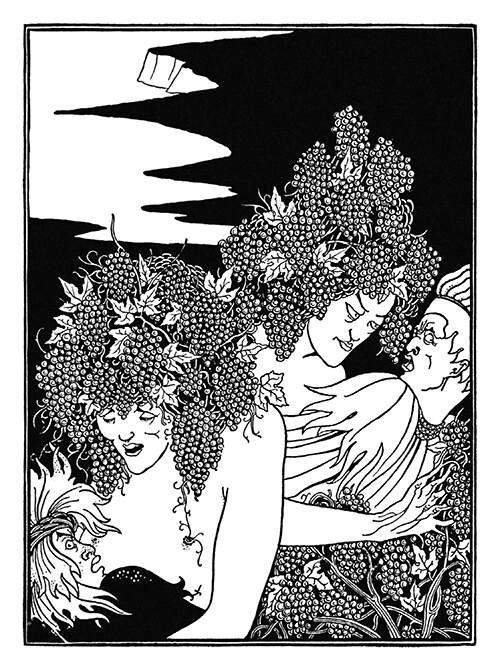
- Here are some free fabulous old book illustrations in the public domain.
- Search engines can search the Internet for images with a filter based on the copyright status, such as this search for public domain ostrich images.
- Another excellent source for public domain book illustrations, is a Google image site search of Gutenberg.org.
Icons and Clipart
- Images from The Noun Project are generally free with attribution or you can buy rights for a couple bucks. They have a lot of fine icons. It can be a challenge to find the entire icon set you want in a consistent style, but that’s a problem everywhere. I often find a few I like that match, and others that don’t exactly match, but serve as inspiration for creating my own icons. They also have photos, but the selection isn’t great.
- Freeicon.com is a good source for icons that don’t require attribution and don’t make you purchase a subscription to download or use them.
- Font Awesome has over 1600 free icons which are largely consistent in style, line weight, etc, and if you find one that’s close to what you want, you can get a vector version to edit in Inkscape (see below). Setting up to use these on your site as a font (as opposed to uploading an image) isn’t 100% straightforward but you can find plugins to help.
- For vector graphics, freesvg.org has all public domain images — free to use however you like. These are SVG files, which you can edit in Inkscape and convert to bitmap graphics. Or you can use SVG files directly on your pages, with significant space savings and performance boost.
Fonts
- Google Fonts for free fonts. There are plugins to incorporate these fonts into your website (you can’t rely on visitors having them already installed on their computer so you need the website to be able to supply them automatically).
- A blog entry on websiteplanet with a list of fonts that are free for commercial use.
- Blambot has a collection of fonts useful for comics creators. Some are free for non-profit projects, independent and small press publishing.
Software
There are free alternatives to most commercial packages. This is especially important now that every company seems to not want to sell software anymore, but only offers their products through subscription.
| Instead of | use the free alternative |
|---|---|
| OpenOffice. For word processing, spreadsheets, presentations. LibreOffice is very similar but there are fewer developers working on it to fix bugs, create ports to other platforms, etc. | |
| GIMP — the GNU Image Manipulation Program — is the best free choice for photo manipulation and other bitmap graphics. It stores images in “XCF” format which is specific to GIMP, preserving the “layers” of your image for re-editing, but can export to “flat” formats like JPEG and PDF. You can also use it to create animated GIFs. Also get the G’MIC-QT filter plugin for GIMP, which adds hundreds of effects to jazz up your images. | |
| Inkscape is your best option for vector graphics, which it stores in standard SVG format. As opposed to bitmaps, vector images can be resized, rotated, and otherwise manipulated without getting fuzzy or gaining edge effects. This is because vector images aren’t collections of colored pixels, but graphic entities like circles, rectangles, bezier curves, etc. SVG files can be displayed directly in a browser, or exported to bitmap formats in any size. Inkscape only exports to PNG format, but that’s a good choice for web use (and can be converted to other formats via GIMP). | |
| Notepad++ is a free text file editor that’s massively superior to the program that comes with Windows. It will keep multiple files open in tabs, it has syntax highlighting, advanced search functions, and when you start it up it remembers what you had open and the contents of files you created but never saved. I use it for general note-taking and to-do list tracking so I can just shut it down without having to worry I’m losing anything. | |
| Joplin is free, you can use it on all your devices, and for the security-conscious, supports encryption, lets you create your own cloud for syncing on a network drive, or can use cloud services such as OneDrive (still encrypted so the cloud provider can’t read your data). | |
| “Print Screen” key | Lightshot for Mac and Windows takes over the “Print Screen” key (and other key combinations) to give you of options to capture parts of the screen and easily annotate, save to files, or copy. You can choose whether to include the cursor in your capture. |
| Natron for video compositing. | |
| DaVinci Resolve is a program to edit video, do color correction, add visual effects, with a free version. | |
| Blender is a free, open source 3D design program. |
Password Management
Use the Bitwarden browser addon and phone app, as detailed here.